
The reason your Google Ads aren’t working is probably not your ads. We’ve audited dozens of underperforming campaigns and roughly eight times out of ten, the ads themselves are fine. The targeting is reasonable, the keywords are sensible, the budget is in range. The landing page is where the money quietly leaks out.
In my experience this is the single most underrated lever in paid search for SMBs. Doubling your landing page conversion rate is mathematically equivalent to halving your cost per lead, and it’s usually 10x easier than further optimizing the ad account itself.
This article covers what makes a Google Ads landing page actually convert. The seven components every good one has, how it affects your Quality Score (and therefore your costs), and the mistakes that quietly destroy conversion rate.
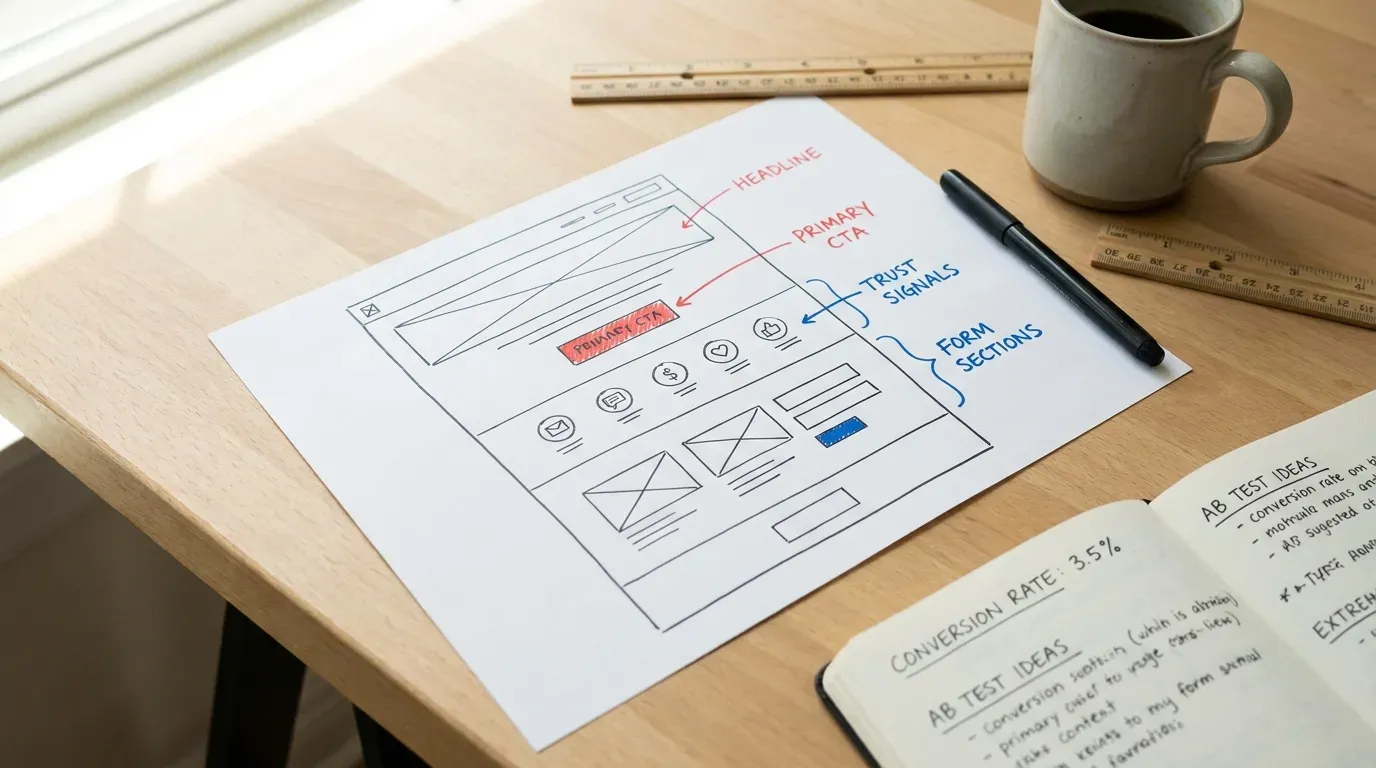
Why a landing page and not your homepage?
This is the question I get asked most. “I’m already running ads to my homepage. Why isn’t that working?”
Your homepage is built to serve everyone: prospects researching, existing customers looking for hours, vendors looking for the contact form, employees clocking in, journalists looking for the press page. Every visitor pulls the page in a slightly different direction, so the page tries to please all of them at once and ends up converting none of them well.
A Google Ads landing page is built for exactly one audience: the person who just clicked your ad. They have a specific need. They saw a specific promise. The landing page’s only job is to deliver on that promise and convert that visitor.
In practice, dedicated landing pages convert at roughly 2 to 3x the rate of running the same ad traffic to a homepage. Unbounce’s Conversion Benchmark Report (retrieved May 2026) consistently shows this gap across categories. Same ad, same audience, different landing experience. The difference shows up as either cheaper leads (lower cost per acquisition) or more leads from the same budget.
The 7 components of a high-converting Google Ads landing page
Treat these in priority order. The first three matter most; the last four are optimization.
Component 1: Message match with the ad
Whatever the ad promised, the landing page should deliver in the headline. If the ad said “Emergency Plumber Atlanta, 24/7 Service,” the landing page headline should not be “Welcome to Joe’s Plumbing.” It should be something like “Emergency Plumber in Atlanta. Available 24/7.”
This sounds obvious. Most landing pages fail it. Customers click an ad expecting a specific outcome and land on a generic homepage; the cognitive disconnect causes about 40-50% of them to bounce within 3 seconds.
Component 2: A single, obvious call to action above the fold
One CTA. Visible without scrolling. Phone number for service businesses; form for lead-gen; product for e-commerce. Not all three on the same page, not buried below the fold.
The visitor has roughly 5 seconds of patience. Either you tell them clearly what to do in those 5 seconds or they’re gone. Multiple competing CTAs is the most common failure I see; the cognitive cost of choosing is enough to make people choose “close tab” instead.
Component 3: Trust signals visible without scrolling
Reviews, ratings, customer logos, awards, certifications, years in business. Whatever signals make a stranger trust you in the 10 seconds before they decide to call. These should sit in the same screen-real-estate as your CTA, not below the fold where the bounced visitor never sees them.
Service businesses: “5-star Google reviews” + a star count + 1-2 short customer quotes. E-commerce: customer photos and a review widget. B2B: customer logos and a quote. Pick the format that matches your category.

Photo by Patrick Fore on Unsplash.
Component 4: Specifics about what you do
Below the fold, the page should answer the questions a prospect is sitting on the fence about. For a service business, that’s usually: what’s the service area, what’s the price range, how fast can you come out, what’s the warranty, what specific situations do you handle. For e-commerce: shipping, returns, sizing, materials. For B2B: deployment time, integration list, pricing model.
The specifics convert. Vague reassurances don’t.
Component 5: A second CTA after the specifics
Visitors who scrolled past the first CTA but read the rest of the page are now warmer. Give them another opportunity to convert without scrolling back up. Same CTA, different placement.
Component 6: Speed and mobile responsiveness
70% of Google Ads clicks happen on mobile. If your landing page takes longer than 3 seconds to load on mobile, you’ve already lost the click. Slow landing pages destroy conversion rates and also tank your Quality Score (more on Quality Score below). Think with Google’s Google’s Core Web Vitals benchmarks (retrieved May 2026) put the bounce probability jump at 32% when load time goes from 1 to 3 seconds, and 90% from 1 to 5 seconds. Test from a real mobile device, not desktop Chrome’s mobile emulator.
Component 7: Conversion tracking on every interaction
Every form submission, every phone click, every chat open. Tagged in Google Ads as a conversion event so the algorithm knows what’s working. Without conversion tracking, Google’s algorithm is bidding blind, and you’re paying full price for unoptimized targeting.
This is invisible to the visitor but critical to your ad performance. If you’re running ads without proper conversion tracking, fix this before doing anything else.
Google Ads landing page experience and Quality Score
Google rates every landing page on three dimensions internally (per Google’s landing page experience documentation, retrieved May 2026):
- Relevance to the ad and keyword
- Originality and transparency of the content
- Navigation, mobile-friendliness, and load speed
These factors combine into your Quality Score, which determines both how much you pay per click and how often your ads show. A higher Quality Score means lower CPC and more impressions for the same budget.
In practical terms, a strong landing page can cut your cost per click by 30-50% relative to running the same ad to a weak landing page. The landing page isn’t just a conversion factor; it’s a cost factor through Quality Score. Compounding effect on the budget.
How to optimize a Google Ads landing page (5 practices that move conversion)
Match the page to the keyword group, not just the ad
If you’re running ads for “emergency plumbing,” “drain cleaning,” and “water heater installation,” don’t send all three to the same generic landing page. Build three landing pages, each closely matched to one keyword theme. Conversion rate roughly doubles vs. the one-size-fits-all approach.
Keep the form short
The number of form fields directly inversely correlates with form completion rate. For most service businesses, name + phone + 1-line description of need is enough. Anything more and you’re losing leads to friction. Qualify them on the follow-up call, not on the form.
Use the customer’s language, not yours
Look at your reviews. Look at customer support tickets. Look at the exact words customers use to describe their problem. Use those words on the landing page. The temptation to use industry jargon (“HVAC system maintenance”) loses to customer language (“AC tune-up”) almost every time.
Show the next step explicitly
“After you call, here’s what happens next: a real human picks up, asks 3 questions, schedules a visit within 24 hours.” Removing the uncertainty of “what happens after I click” raises conversion rate noticeably for any high-consideration purchase.
A/B test, but only one thing at a time
Once you have a working landing page, test variations. Headline first (highest impact). Then CTA copy. Then trust signal placement. Then form length. Only one variable at a time. Most paid Google Ads accounts have enough traffic to run real A/B tests inside 30 days.
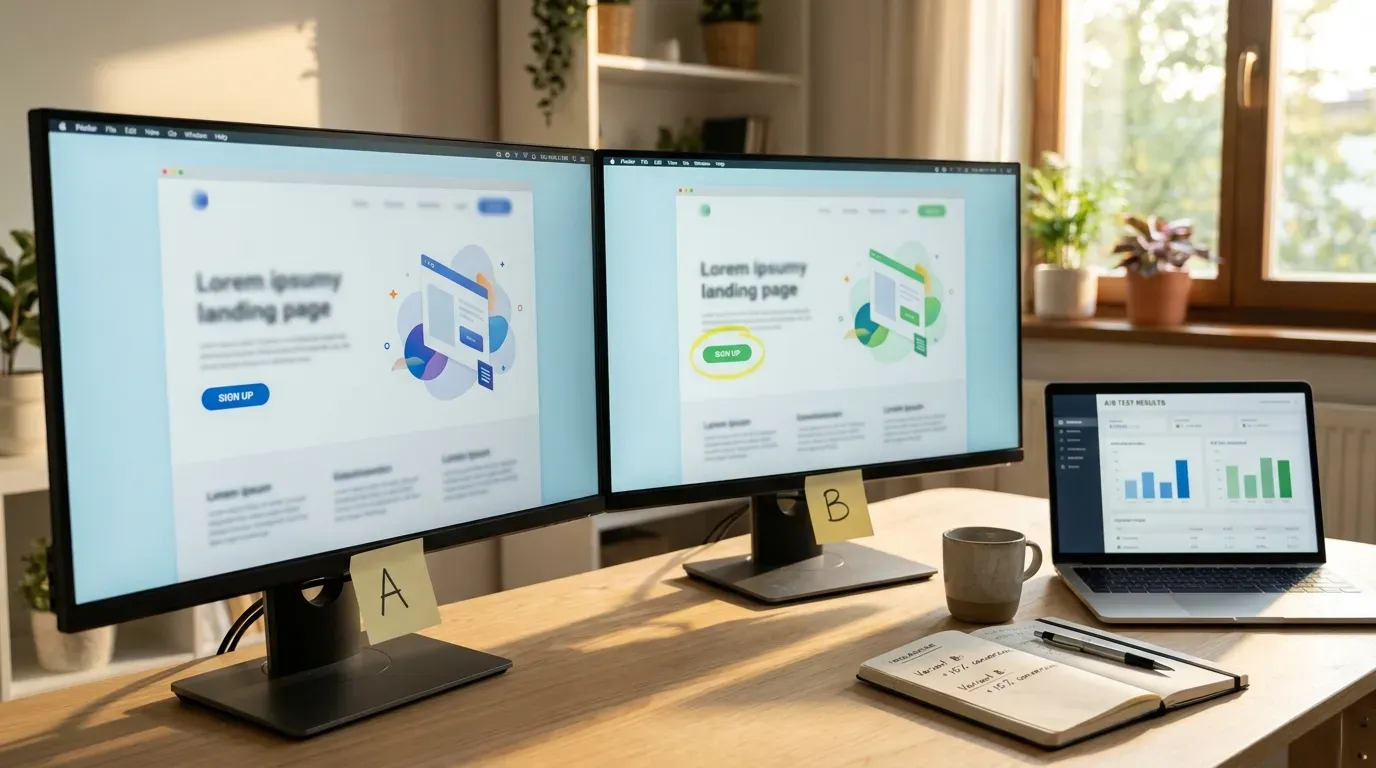
Google Ads landing page examples that work
Rather than naming specific brand examples that may change tomorrow, here’s the pattern that consistently wins across the SMB Google Ads accounts I work with:
- Headline that exactly matches the ad’s promise
- Phone number large and clickable in the top-right corner
- 4-5 star rating with review count visible without scrolling
- One sentence below the headline saying what makes you different
- A simple form (name, phone, one description field) or a phone CTA, above the fold
- Below the fold: specifics, service area, FAQ, secondary CTA
- Footer with NAP for local SEO benefit
- Loads under 2 seconds on mobile
That’s about 90% of what a high-converting Google Ads landing page looks like for an SMB service business. E-commerce and B2B vary the specifics but the principles hold.
Common Google Ads landing page mistakes
Running ads to the homepage
The most common, costliest mistake. Build dedicated landing pages.
Three CTAs competing on the same screen
Call now, fill out form, chat with us, request callback. Pick one.
Hero image with no message
A photo of a smiling person in a hardhat is not a landing page; it’s wallpaper.
Form with 10 fields
For first contact, three fields is the maximum. Qualify on the call.
No trust signals
You’re a stranger asking for money; trust signals make the difference between a call and a bounce.
Cookie-cutter landing pages from page builders
Templates that have been used by 10,000 other small businesses look generic and convert at half the rate of customized pages.
Slow load times
Every additional second of load time is roughly a 10% drop in conversion rate.
Should you build the landing page yourself or hire it out?
If you have a designer-developer or you’re comfortable building in a tool like Unbounce, Webflow, or Carrd, you can absolutely build a competent landing page yourself. The principles in this article are repeatable.
If you’re hiring it out, expect to pay $1,000 to $5,000 for a well-built landing page from a freelancer or small shop, more from a full-service agency (more in our website cost article). Whoever builds it should also wire up the conversion tracking and ideally do at least one round of A/B optimization once it’s live. Our web design service includes landing-page-specific builds when they’re part of a broader campaign.
FAQ
What is a good Google Ads landing page experience score?
Google rates landing pages as “Below average,” “Average,” or “Above average” inside your Google Ads dashboard. Above average is the goal; average is fine but means you’re leaving Quality Score gains on the table; below average is actively costing you money on every click and impression.
What are Google Ads landing page best practices in one sentence?
Match the ad’s promise in the headline, give one obvious CTA above the fold, show trust signals immediately, keep the form short, optimize for mobile, and track every conversion.
Should I use one landing page or multiple for Google Ads?
Multiple. One per keyword theme, minimum. The conversion rate roughly doubles when the landing page exactly matches the keyword group rather than handling all keywords with a single generic page.
Does Google Ads provide landing page templates?
Google Ads has a built-in tool called “Lead Form Extensions” that lets you collect leads without sending the visitor to a landing page at all (the form appears inside the ad itself). For some categories this works. For most service businesses, it underperforms a dedicated landing page because there’s no chance to build trust before the form.
How fast should a Google Ads landing page load?
Under 2 seconds on mobile is the target; under 3 seconds is the floor. Every additional second of load time roughly drops conversion rate by 10%, and Google’s Quality Score algorithm penalizes slow pages directly.
Beefed Up builds Google Ads landing pages as part of our paid media engagements. We treat the landing page as roughly equal in importance to the ad account itself, because in practice the two together determine your cost per lead. Get in touch for a quick audit of your current landing page (or homepage, if that’s what you’re running ads to).


